PagerDuty
PagerDuty is an incident response platform and on-call management service.
API version
This connector uses the PagerDuty REST API.
Prerequisites
You must have the following to establish a connection to PagerDuty:
- API key
- Write and read permissions
Create an API key
You must create an API key (PagerDuty integration key) to connect to Workato. PagerDuty supports the following types of API keys:
- General access API key: This API key has access to all objects in your PagerDuty instance.
- Personal API key: This API key is restricted according to the user's permissions. This requires PagerDuty advanced permissions.
Complete the following steps to create a PagerDuty API key:
Go to Integrations > Developer Tools > API Access Keys and click Create New API Key.
Alternatively, go to Profile > User settings to create a Personal API key.
Enter a description that helps identify the key, such as Workato integration key. Ensure that you don't select Read-only API Key. This connector requires read and write permissions to function properly.
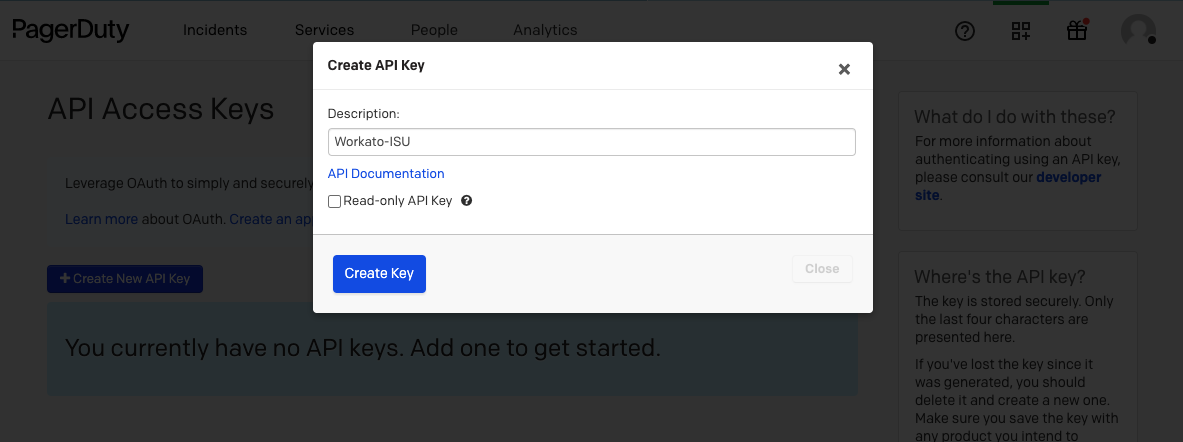 Provide the API key with write permissions
Store the API key in a secure location. Use this API key to authenticate with Workato.
Permissions
You must have an Admin, Global Admin, or Account Owner role in PagerDuty to create an API key. Contact an Admin or Account Owner in your organization to create this key if you don't have one of these roles.
How to connect to PagerDuty on Workato
Complete the following steps to connect to PagerDuty in Workato:
Select Create > Connection or press C twice.
Search for PagerDuty on the New connection page and select it.
Enter a name in the Connection name field.
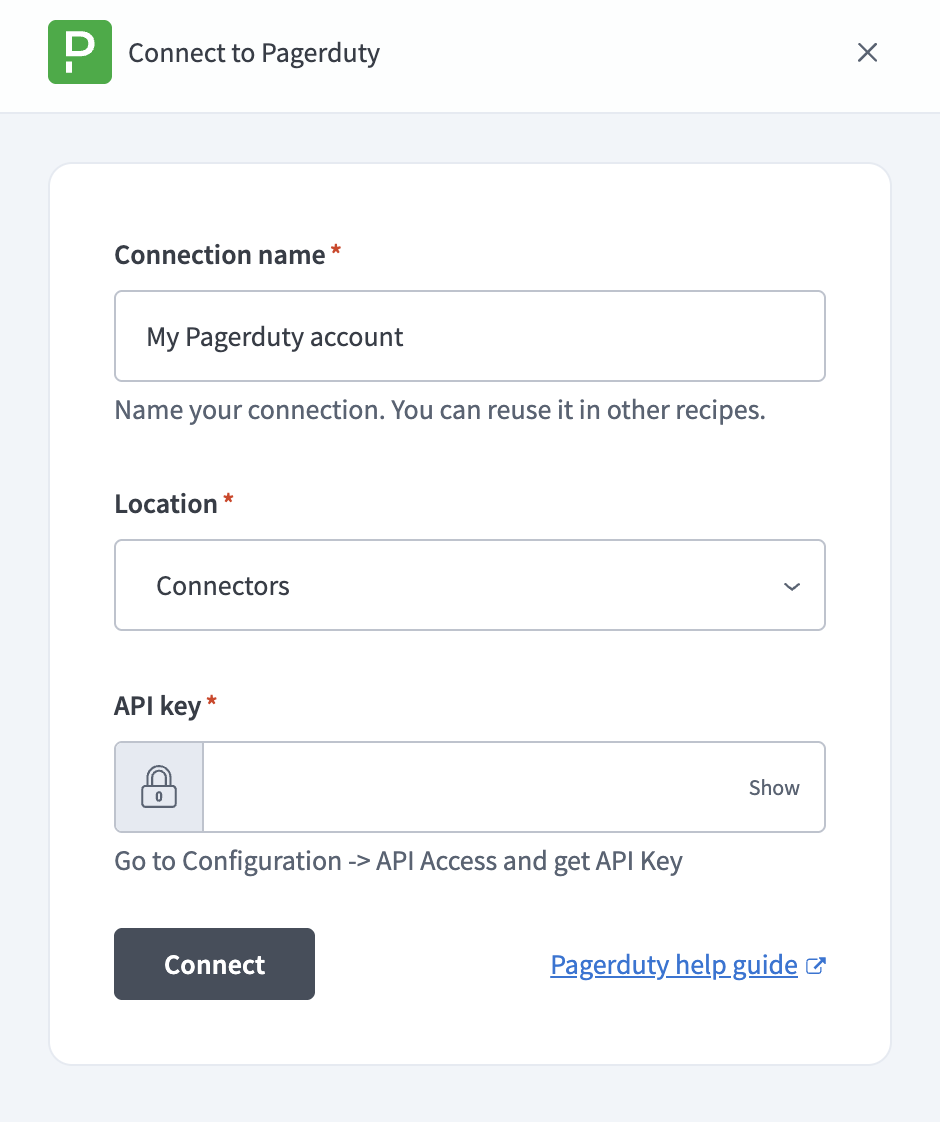 Connect to PagerDuty
Use the Location drop-down menu to select the project where you plan to store the connection.
Enter the API key you generated in the API key field.
Select Connect to verify and save the connection. Workato displays a success message when the connection is established.
Last updated: