TrackVia
TrackVia is a low-code, cloud-based platform that streamlines workflows and enables companies to manage data, processes, and collaboration in a single environment.
API version
The TrackVia connector uses the TrackVia OpenAPI.
How to connect to TrackVia
The TrackVia connector uses OAuth 2.0 authentication to connect to TrackVia.
Complete the following steps to set up your TrackVia connection:
Enter a Connection name that identifies which TrackVia instance Workato is connected to.
Enter your TrackVia subdomain. Go to My Account > Advanced Customization > Custom Subdomain in TrackVia to locate your subdomain. Leave this field blank to use the default subdomain go.trackvia.com.
Enter your TrackVia Account ID. Go to My Account > Account Details > Account Info in TrackVia to locate your Account ID.
Click Connect to open the TrackVia Public API authorization dialog. 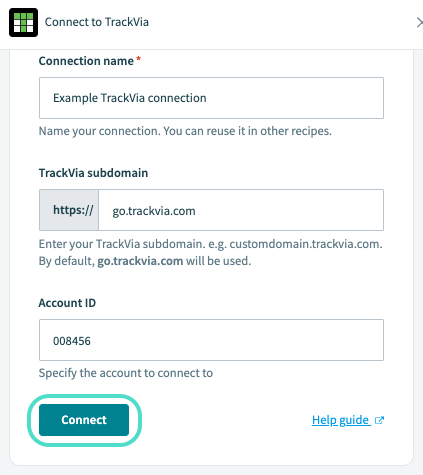 Complete the connection fields and click Connect.
Sign in to your TrackVia account if prompted. If already signed in, proceed to the next step.
Click AUTHORIZE to grant Workato permissions and complete the connection to TrackVia. 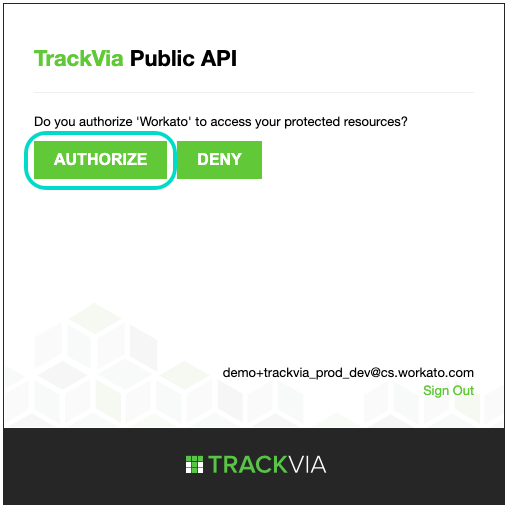 Click AUTHORIZE to complete Workato's connection to TrackVia.
Last updated: