Wufoo
Wufoo is a cloud-based form builder that allows you to create forms for data collection, including:
- Registration forms
- Application forms
- Contact forms
- Payment forms
You can create your forms with or without code. Wufoo also allows you to process online payments through their payment partners, including PayPal, Stripe, and Authorize.Net.
API version
Workato's Wufoo connector uses Wufoo's REST API v3. Refer to Wufoo's API documentation for more information.
Connection setup
Locate your Wufoo API key before you set up your Workato connection. To set up your connection:
Provide a Connection name that identifies which Wufoo instance Workato is connected to.
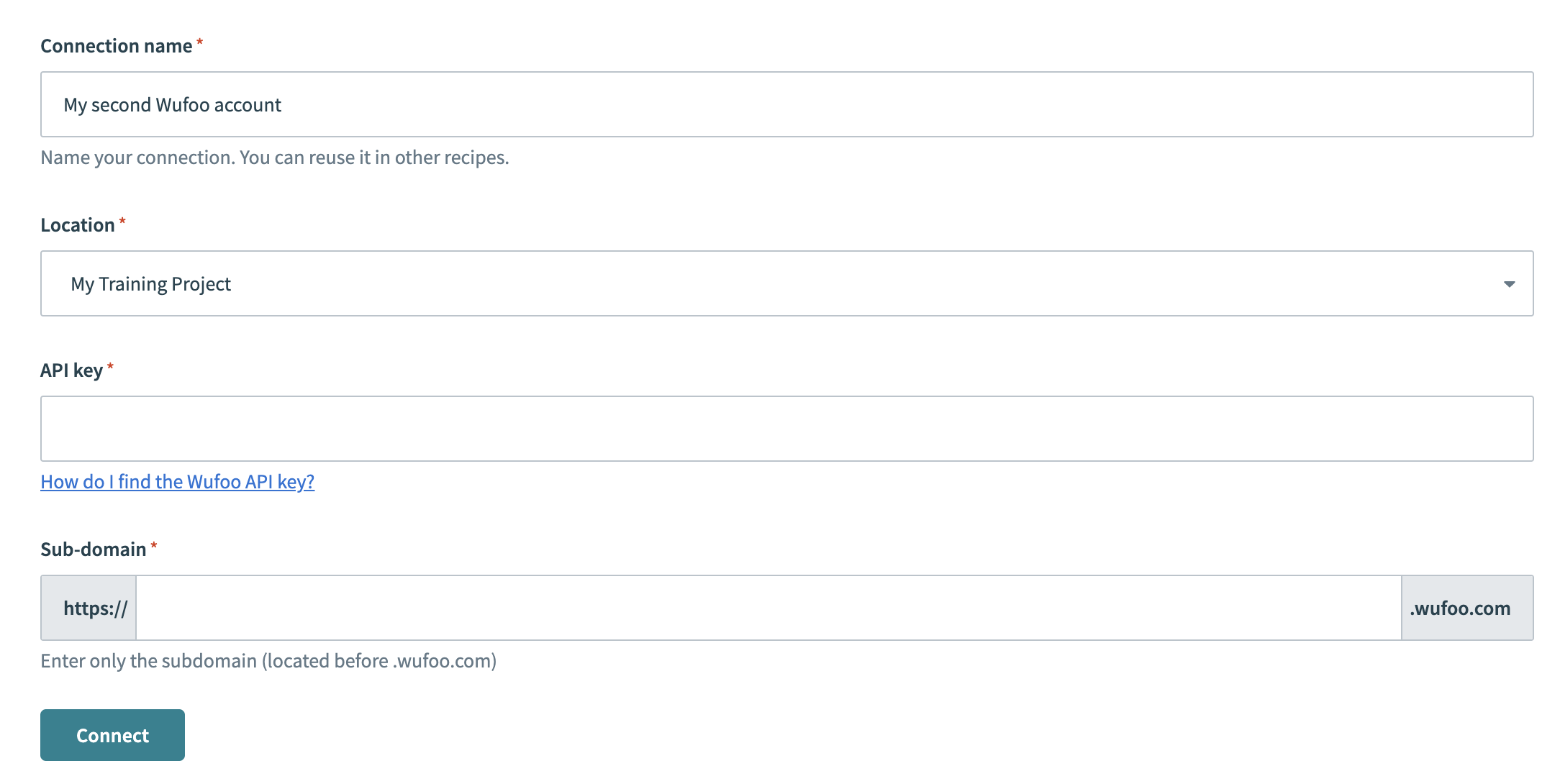 Create your connection
Select the project where you plan to store the connection from the Location drop-down menu.
Enter your Wufoo API key. Refer to Locate your Wufoo API key for more information.
Enter your Wufoo sub-domain. For example, if your URL is https://testcompany.wufoo.com, your sub-domain is testcompany.
Click Connect.
Locate Wufoo API key
You must provide your Wufoo API key to connect your Wufoo instance to Workato. To locate your API key:
Log in to your Wufoo account.
Click Forms in the top navigation bar.
Click the more options ... (ellipses) menu in the form entry row and then select API information to view your API key.
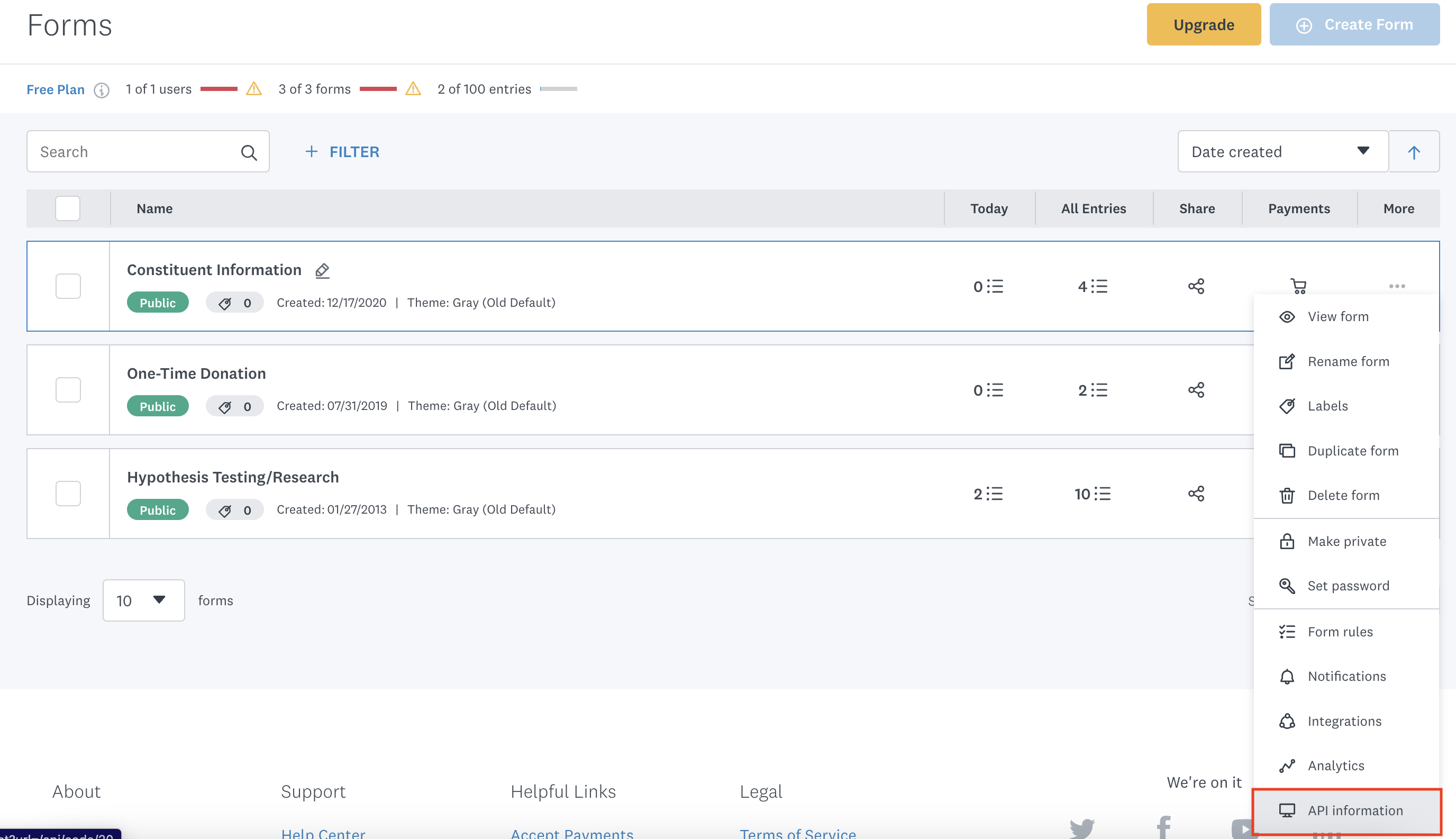 More options > API information
Last updated: