# HiBob
HiBob (opens new window) is a people management platform that offers fast-growing companies powerful tools to manage a modern workforce, increase productivity, and improve employee experience.
# Prerequisites
You must have the following information to establish a connection to HiBob in Workato:
- Service User ID
- Service User Token
You must be an Admin or have the following privileges to create service users:
Features > Integrations > Automation > Create/update/delete the integration.
Complete the following steps to generate credentials for connection setup between Workato and HiBob:
Click Bob products > System settings to add a new service user.
Select Integrations in the side navigation menu.
Use the All categories drop-down menu to select Automation.
Go to the Service users tile and click Manage.
Click + New service user.
Enter a name in the Display name field and optionally provide a description in the Description field.
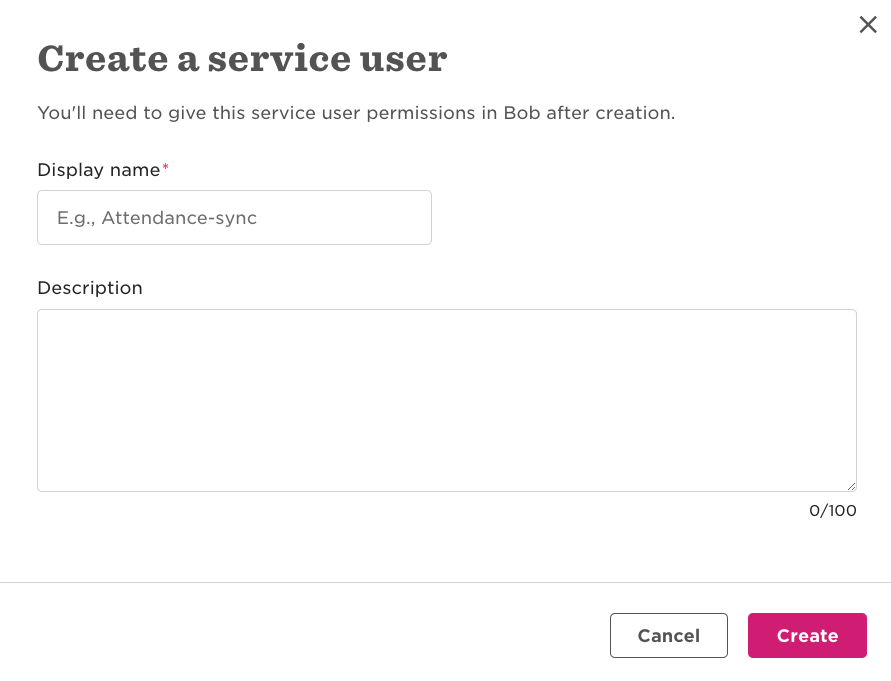 HiBob Service User
Click Next. The Service user info modal displays with the new API service user's ID and token.
Go to Credentials and copy the ID and Token values. Save the values in a file or a safe place in your environment.
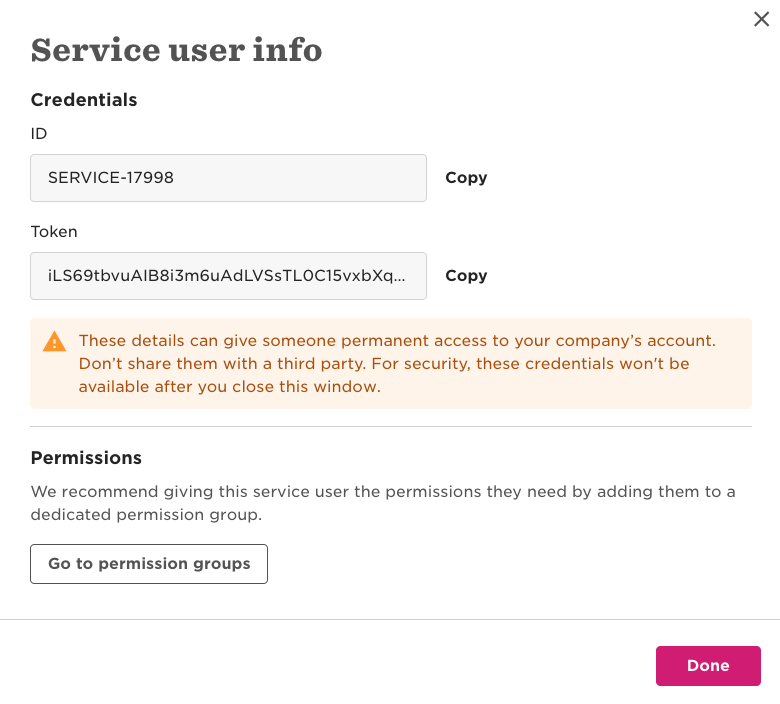 HiBob Service User info
Go to Permissions > permission groups to create a service user permission group (opens new window) and assign it to the service user you created in the preceding steps.
Click Done.
Follow the HiBob instructions to set the permissions (opens new window) for the user.
HIBOB ADMIN ACCESS
Ask a Bob Admin to generate credentials for you if you don't have direct access.
# How to connect to HiBob
Complete the following steps to establish a connection with HiBob:
Click Create > Connection.
Search for and select HiBob as your connection in the New connection page.
Provide a name for your connection in the Connection name field.
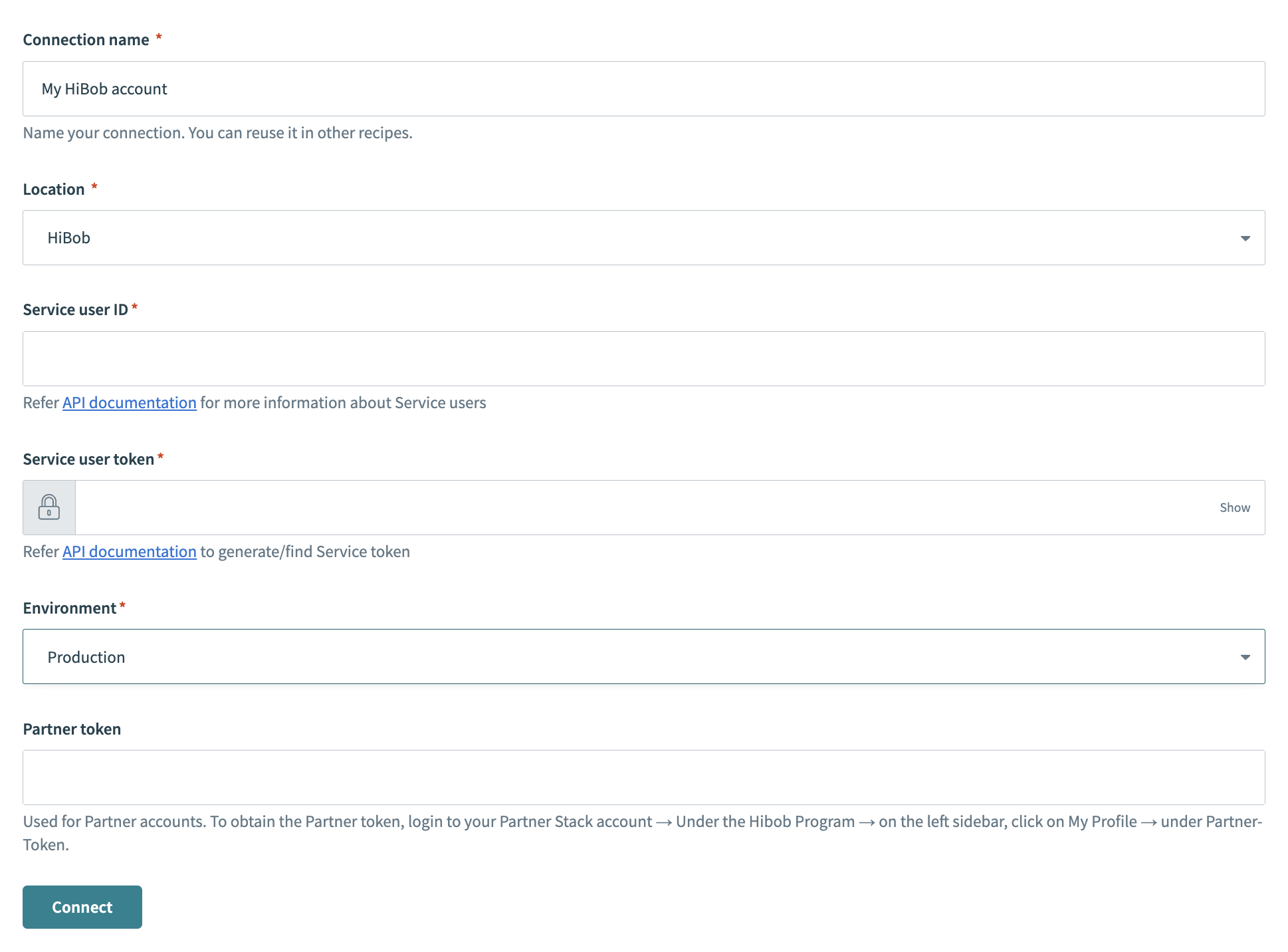 HiBob Connection
Use the Location drop-down menu to select the project where you plan to store the connection.
Provide the Service user ID and Service user token in the respective fields, generated in the previous steps.
Select the suitable Environment from the drop-down menu.
Provide the Partner token in the respective field if you have a partner account. You can obtain the Partner token by logging in to your Partner Stack account and going to HiBob Program > My Profile > Partner-Token.
Click the Connect button to establish the connection.
Last updated: 2/2/2026, 6:57:38 PM