Automatic alerts
You can enable automatic alerts to stay informed about the status of your on-prem agent (OPA). This feature sends email notifications when a certificate nears expiration or the OPA disconnects from Workato. This ensures that you receive prompt alerts on issues with your OPA, and prevents disruptions by allowing you to update certificates before they expire.
OPA disconnection types
There are two types of agent disconnections:
| Type | Description |
|---|---|
| Unexpected disconnection | This type of disconnection occurs without prior notice and is usually caused by unforeseen issues such as network outages on the user side, connectivity issues, or hardware failures. Unexpected disconnections can cause immediate disruptions to recipes relying on the OPA. |
| Expected disconnection | This type of disconnection occurs when you manually shut down the OPA. |
Configure automatic alerts
Complete the following steps to configure automatic alerts for an on-prem group:
Go to Tools > On-prem groups and select the on-prem group that you plan to enable notifications for.
Go to Settings > Email alerts.
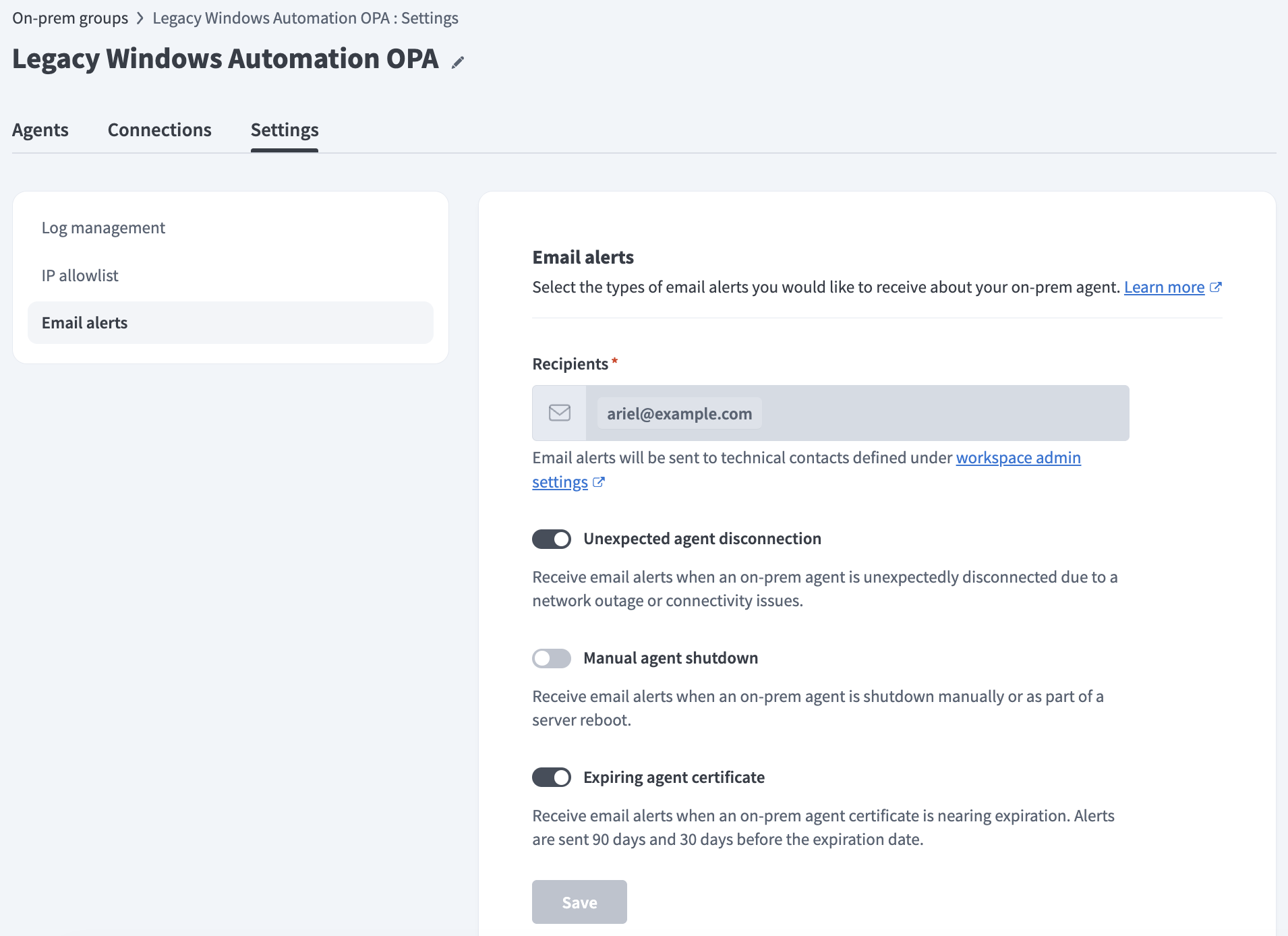 The Email alerts tab
Optional. Go to the Recipients section to view the email addresses of the technical contacts who are configured to receive alerts for this workspace.
Configure technical contacts
Workspace administrators can complete the following steps to configure a workspace's technical contacts:
Go to Workspace admin > Settings > Notifications > Admin notifications.
List the emails to notify about OPA and API platform incidents in the Technical contacts field.
Click Save.
Use the Unexpected agent disconnection and Manual agent shutdown options to toggle alerts for different disconnection types. The Unexpected agent disconnection option is enabled by default.
Use the Expiring agent certificate option to toggle alerts sent 90 days and 30 days before a certificate expires. This option is enabled by default.
KEEP EXPIRATION NOTIFICATIONS ENABLED
We strongly recommend you keep notifications enabled for expiring certificates. An agent stops processing jobs when its certificate expires. This can cause recipe interruptions if it's the only active agent in the on-prem group.
Refer to the Agent key management guide to replace keys with zero downtime or the Active on-prem group guide to enhance fault tolerance.
Click Save.
Email notifications
Workato emails your workspace's technical contacts based on the conditions toggled in an on-prem group's Email alerts tab.
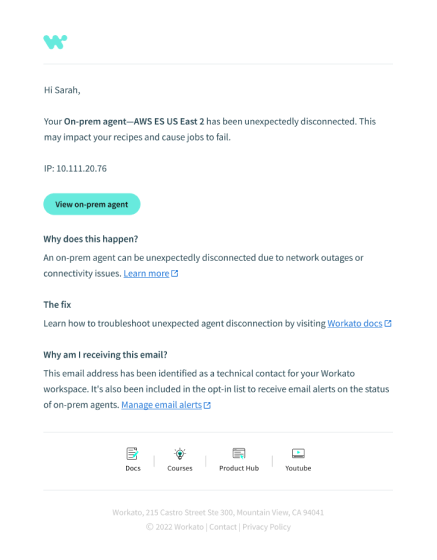 The email notification for an unexpected disconnection.
You can click View on-prem agent in the email alert to view the relevant in-app agent.
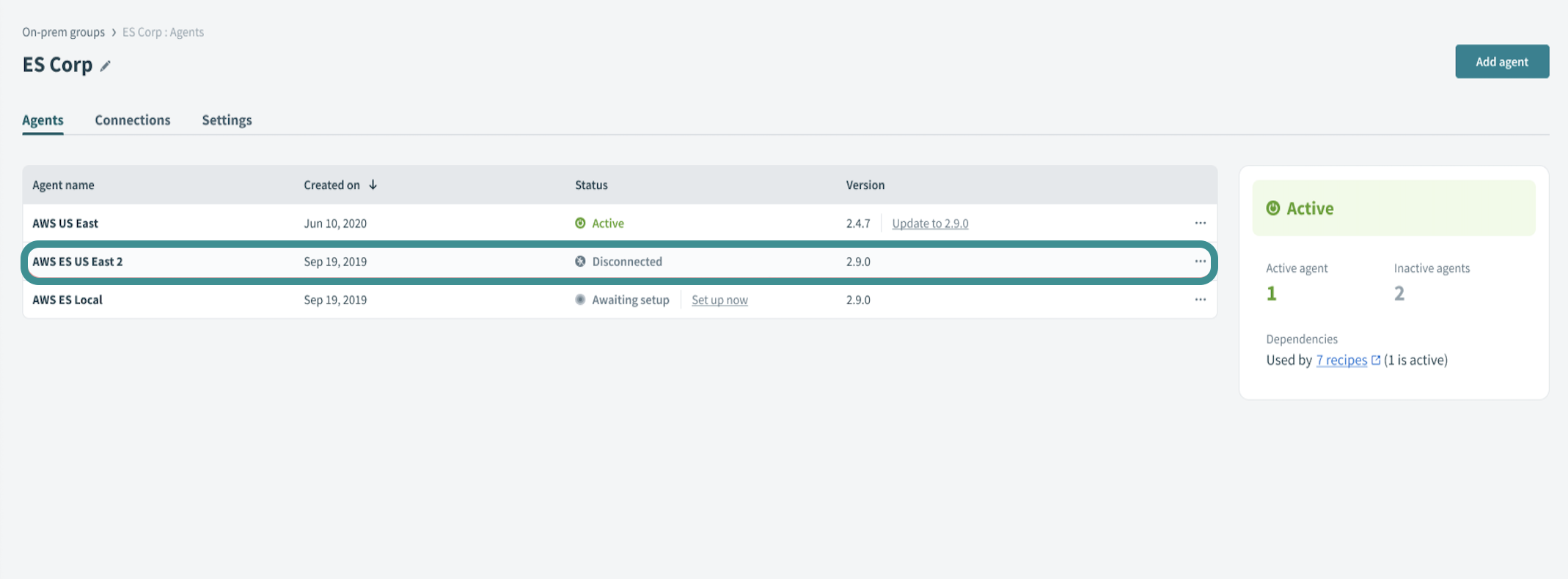 Disconnected agent on OPA page
Last updated: