Billing and Usage dashboard
The Billing and Usage dashboard tracks credit consumption across your workspace and breaks it down by usage type. You can use it to see how credits are used across usage types, catch spikes in usage, and plan for renewal or overage.
You must have the Environment admin or legacy Admin system role, or a custom role with the Usage dashboard privilege, to access the Billing and usage dashboard.
Some plans use an alternate metric in the Usage dashboard. Refer to your contract or contact your Customer Success Representative for more information.
Billing
The Billing tab shows credit usage during the current billing period. Sections vary across standard, AHQ, and Embedded workspaces. Review the section for your workspace.
Standard workspace
The Billing and Usage dashboard in standard workspaces has the following sections:
- Credit summary: View the total credits used out of your entitlements, your platform plan, and your billing period with renewal date.
- Credit usage by type: See the share of credits used for each Workato capability, shown as a donut chart.
- Credit usage breakdown: Track credit utilization over the current billing period, shown as a bar chart. The following filters are available:
- Period: Filter by a custom time range.
- Chart view: Filter by Daily, Weekly, or Monthly.
- Group by: Filter by Usage type. Environment is also available if your plan includes multiple environments.
- Credit usage by usage type: See each usage type's share of total credit usage and total credits used, sorted by most credits used.
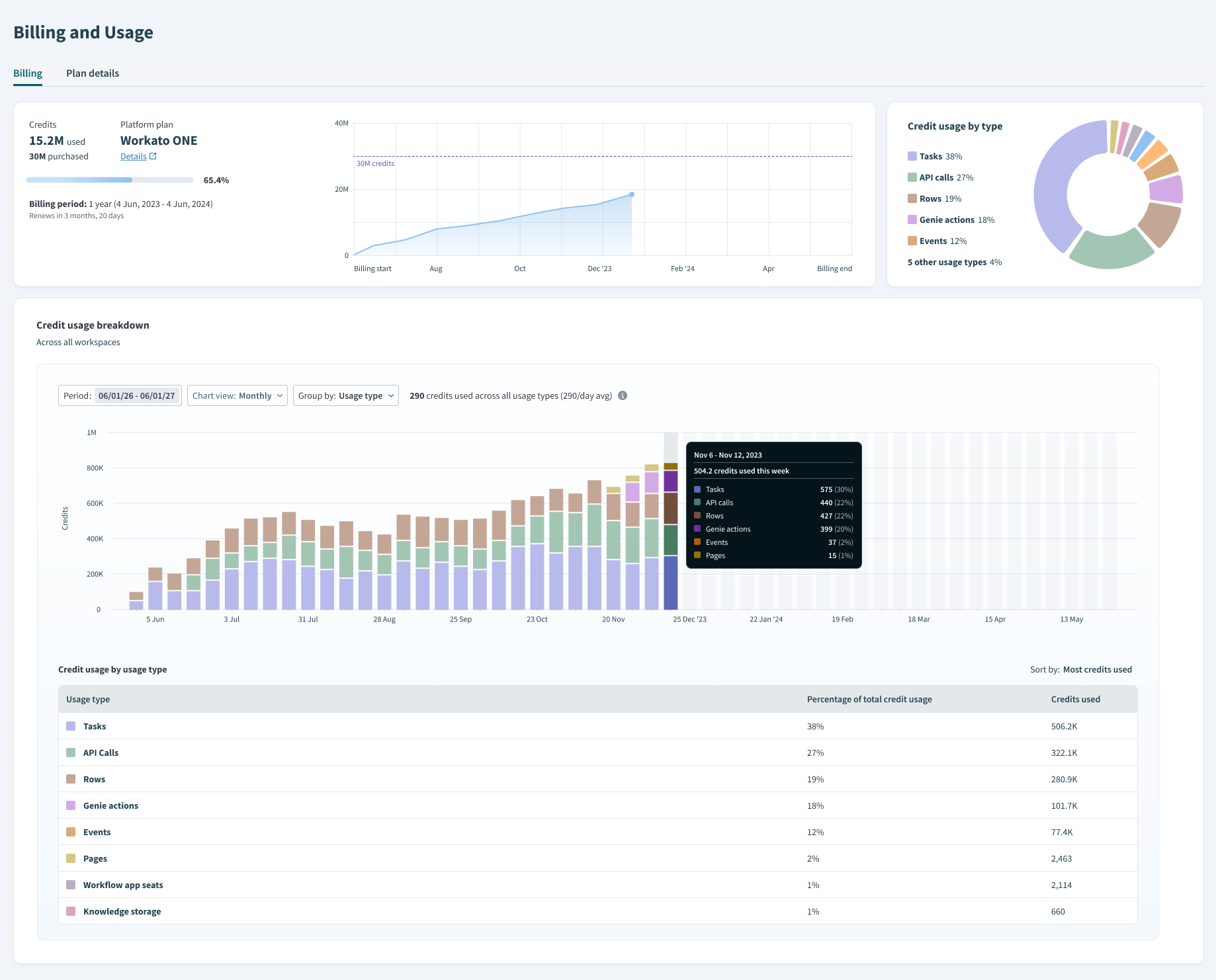 Billing and usage dashboard for standard (non-AHQ) workspaces
AHQ workspace
The Billing and Usage dashboard in AHQ workspaces has the following sections:
- Workspace selector: Filter data by All workspaces to view aggregate usage across all managed workspaces, or select a specific managed workspace to view its usage.
- Credit summary: View the total credits used out of your entitlements, your platform plan, and your billing period with renewal date.
- Credit usage by type: See the share of credits used for each Workato capability, shown as a donut chart.
- Credit usage breakdown: Track credit utilization over the current billing period, shown as a bar chart with a percentage summary for each managed workspace alongside it. The following filters are available:
- Period: Filter by a custom time range.
- Chart view: Filter by Daily, Weekly, or Monthly.
- Group by: Filter by Usage type (default) or Workspace in the HQ view. Child workspaces can filter by Usage type or Environment.
- Usage by workspace: See each managed workspace's total credits used, sorted by most credits used.
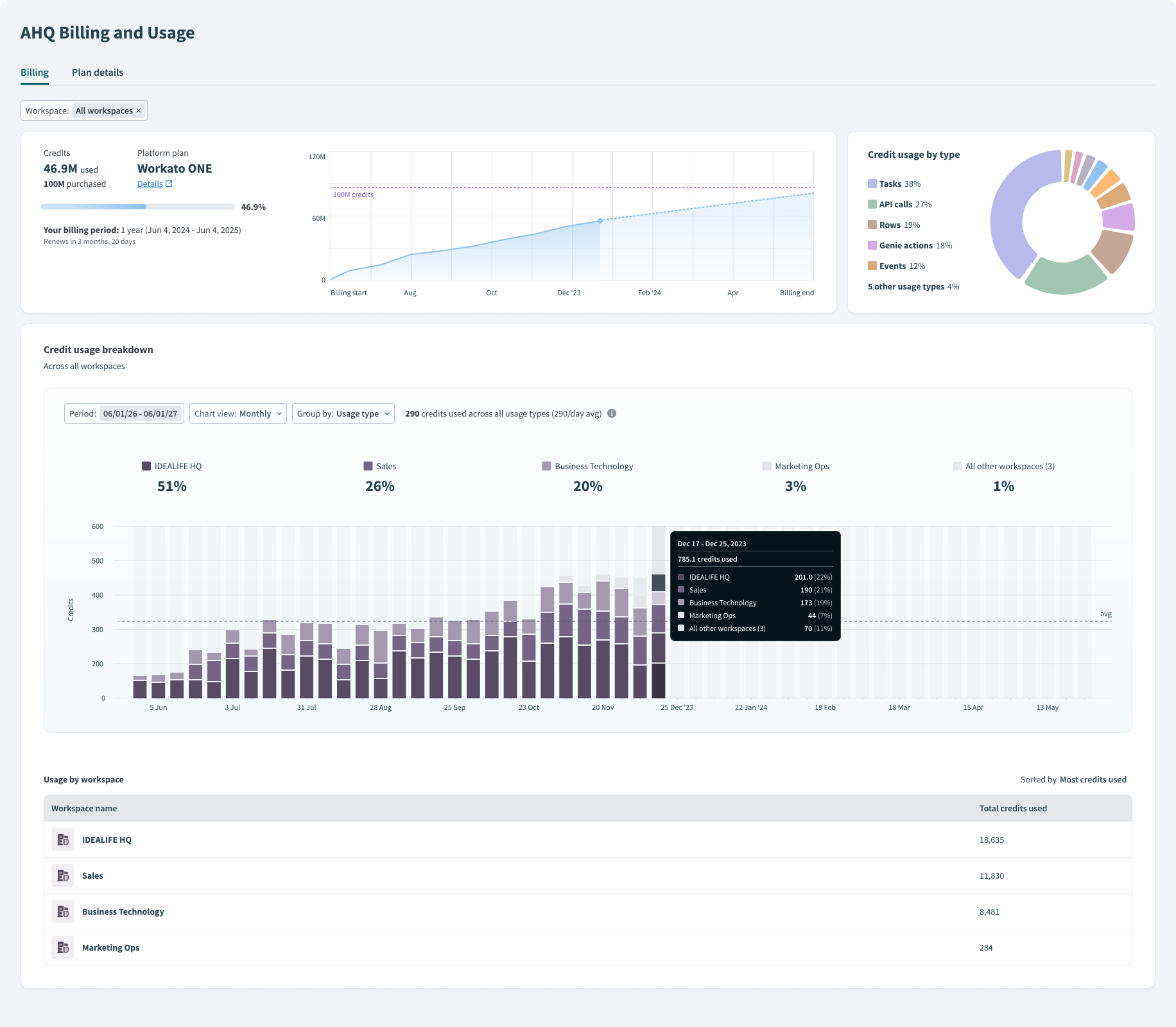 Billing and usage dashboard for an AHQ workspace
Embedded workspace
The Billing and Usage dashboard in Embedded workspaces has the following sections. Usage in this view is always reported against the Embed Admin's billing period. Refer to Customers for usage at the individual end customer workspace level.
- Workspace selector: Filter data by All workspaces (Aggregate usage) to view aggregate usage across the Embed Admin and all customer workspaces, or Admin workspace only to view usage for the Embed Admin workspace by itself.
- Credit summary: View the total credits used out of your entitlements, your platform plan, and your billing period with renewal date.
- Credit usage by type: See the share of credits used for each Workato capability, shown as a donut chart.
- Credit usage by workspace: Track credit utilization over the current billing period, shown as a bar chart. The following filters are available:
- Period: Filter by a custom time range.
- Chart view: Filter by Daily, Weekly, or Monthly.
- Group by: Filter by Usage type or Environment.
- Top 10 customer workspaces: See the top 10 Embedded end customer workspaces by usage. Each row includes:
- Credits used in Admin's billing period: Credit consumption by the customer during the Embed Admin's billing period.
- Percentage of all customers' usage: The customer's share of total end-customer usage.
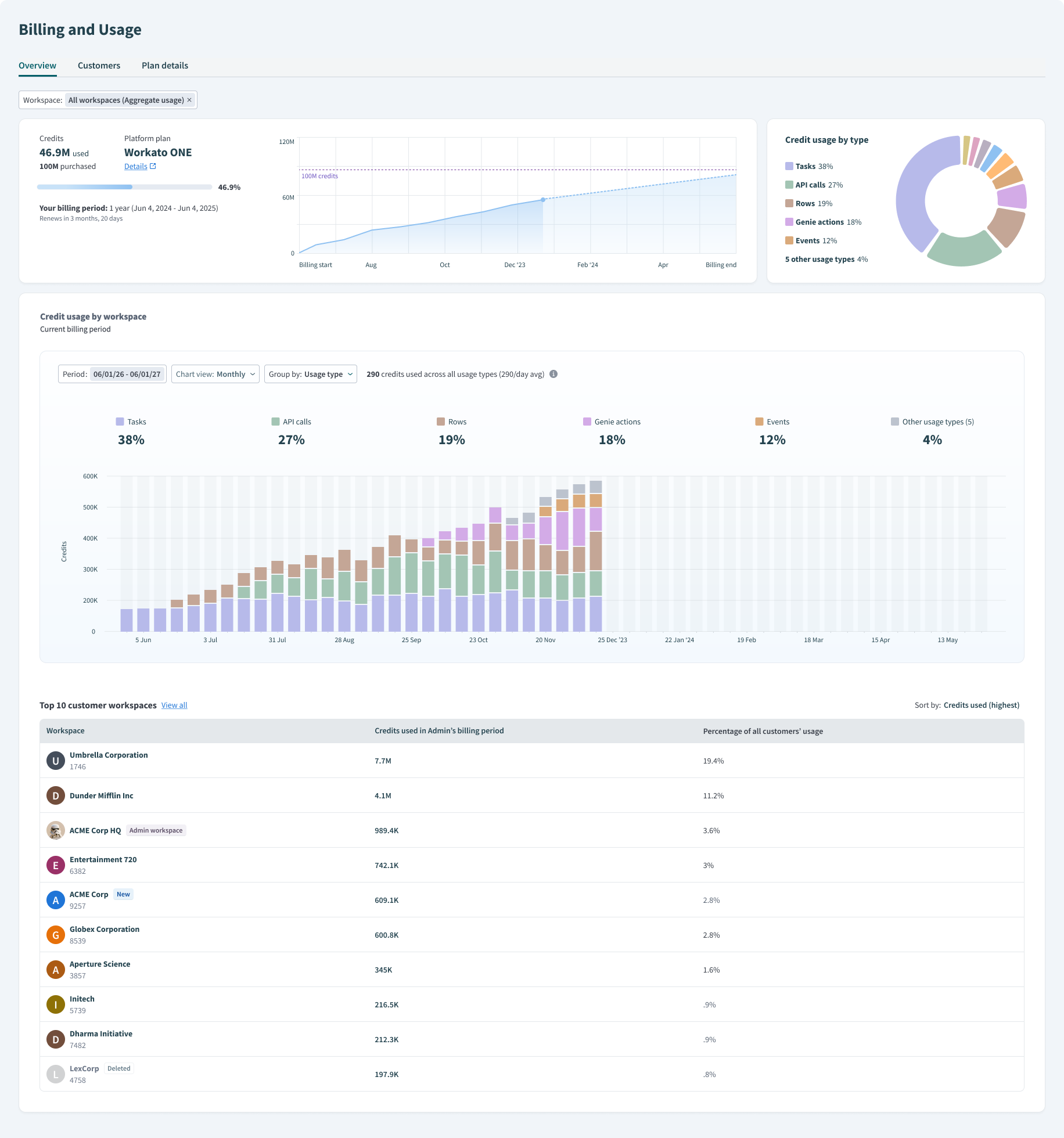 Billing and usage dashboard for an Embedded admin workspace
Customers
The Customers tab is only available in Embedded workspaces and is visible in the Admin workspace. It reports usage at the individual end customer workspace level. Usage in this view is always reported against the End Customer's billing period.
You can search for customers by name or apply filters to view specific usage data.
The following filters are available:
- Select credit usage: Filter by credit consumption status. Select Limit reached, Approaching limit, or Low usage.
- Billing period started: Filter by when a customer's billing period started. Select Anytime, Renewed recently (Last 30 days), or a Custom range.
- Billing period ends: Filter by when a customer's billing period ends. Select Anytime, Renews soon (Next 30 days), or a Custom range.
- Select plan: Filter by Plan type (On trial or Not on trial) or by Plan name.
Plan details
The Plan details tab provides information about your current billing cycle, renewal date, and platform edition. View the features your edition includes and any additional capacity you've purchased.
Last updated: